Derived Play: Three-Second Sign Test
Create one polished public-gallery concept image titled exactly "Derived Play: Three-Second Sign Test". Use case: productivity-vi...
把 GPT Image 2 用在虚构社区空间数字标牌 dayparting:同一块竖屏按早、午、晚自动生成不同消息、图标和插画,并用 Readable、On Time、Icon Clear、Brand Safe 做发布前检查。
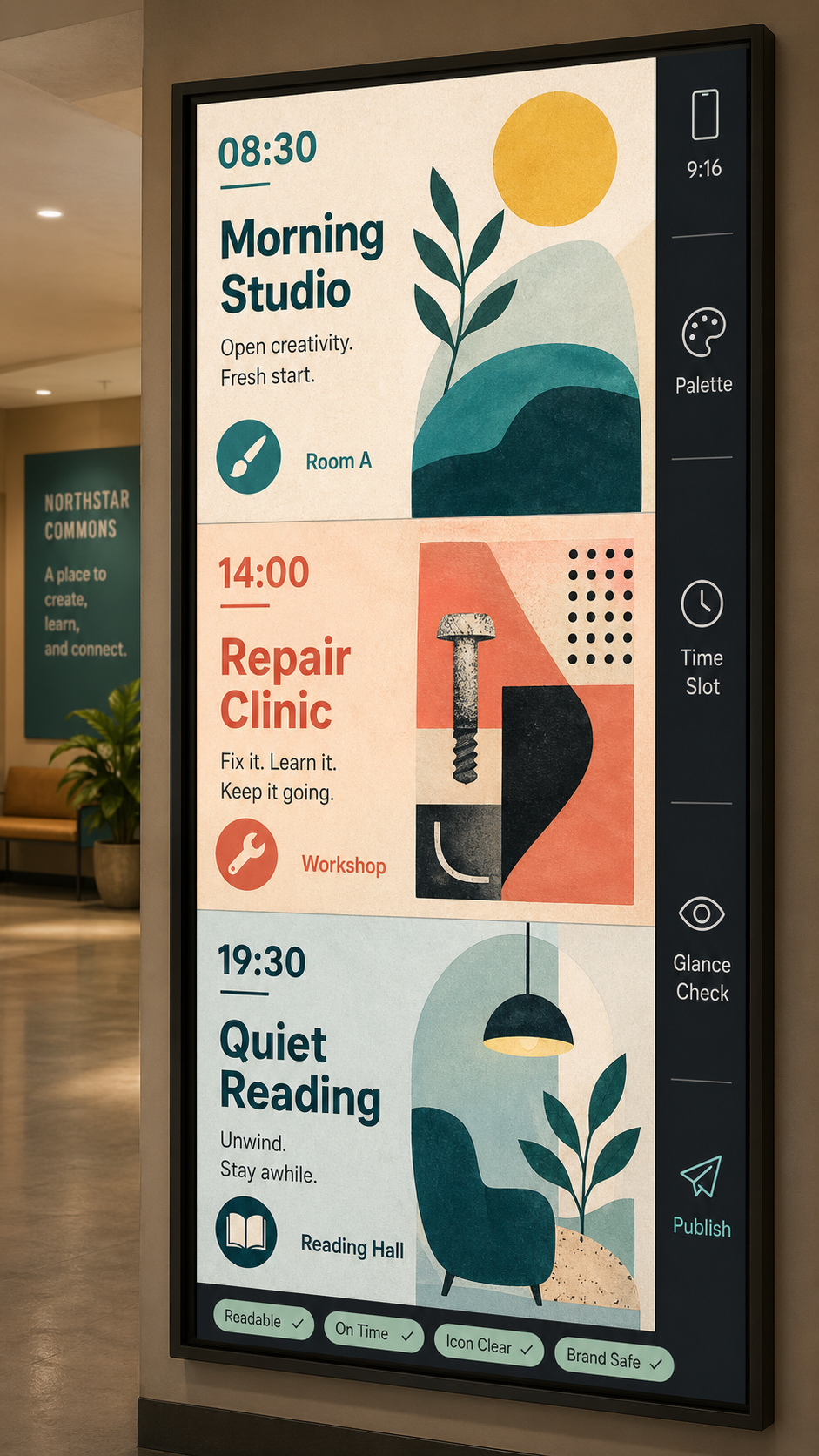
Use this as a reference for Daypart Signage Loop, Dayparting, Digital Signage, Environmental Graphics workflows, prompt structure, visual constraints, and output review.
Create one polished public-gallery concept image titled exactly "Use Case: Daypart Signage Loop".

Use case: productivity-visual / ads-marketing / digital signage workflow.
Asset type: vertical 9:16 fictional public digital-signage deployment mockup, suitable for a GPT Image 2 use-case gallery.

Primary request: Show GPT Image 2 being used to generate a ready-to-deploy dayparted digital-signage loop for a fictional community arts center. The image must feel like a real operations preview for one lobby display that changes by time of day, not a dashboard, not a map, not a menu, not a contact sheet, not a tabletop object, and not a generic poster board.

Composition: A single tall digital screen dominates the frame in a quiet fictional lobby called "Northstar Commons". The screen is split into three stacked time states with soft separators, like one animated playlist preview frozen in one frame: "08:30 Morning Studio", "14:00 Repair Clinic", "19:30 Quiet Reading". Each state has a different small original abstract illustration, a short readable headline, one icon, and a clear room cue such as "Room A", "Workshop", "Reading Hall". Add a thin deployment rail on the right edge with compact labels: "9:16", "Palette", "Time Slot", "Glance Check", "Publish".

Visual style: refined environmental graphic design, matte display surface, tactile warm paper-like textures inside the screen graphics, accessible contrast, clean sans-serif type, calm but not monochrome palette with teal, coral, lemon, black, and soft white. The lobby background should be simple and fictional, with no real architecture or brand cues. No people.

Show the use-case mechanism clearly: one prompt produces multiple time-aware public-screen messages that keep a coherent fictional identity while changing copy, icon, and illustration by time slot. Include tiny QA chips at the bottom of the screen: "Readable", "On Time", "Icon Clear", "Brand Safe".

Safety and originality constraints: no real brands, no logos, no public figures, no politics/elections/parties, no emergency evacuation instructions, no medical/legal claims, no harmful instructions, no adult or explicit content, no gore, no celebrity likeness, no copyrighted characters, no living-artist style imitation. Do not copy any external prompt or image. Keep all visible text short and legible.
Source note: Original fictional dayparted-signage workflow generated locally after external source sweep. Sources informed abstract prompt-gallery structure, signage accessibility concerns, digital-signage readability, dayparting trends, and pictogram abstraction only; no external prompt text, image, brand, character, artwork, protected style, or source image was reused.
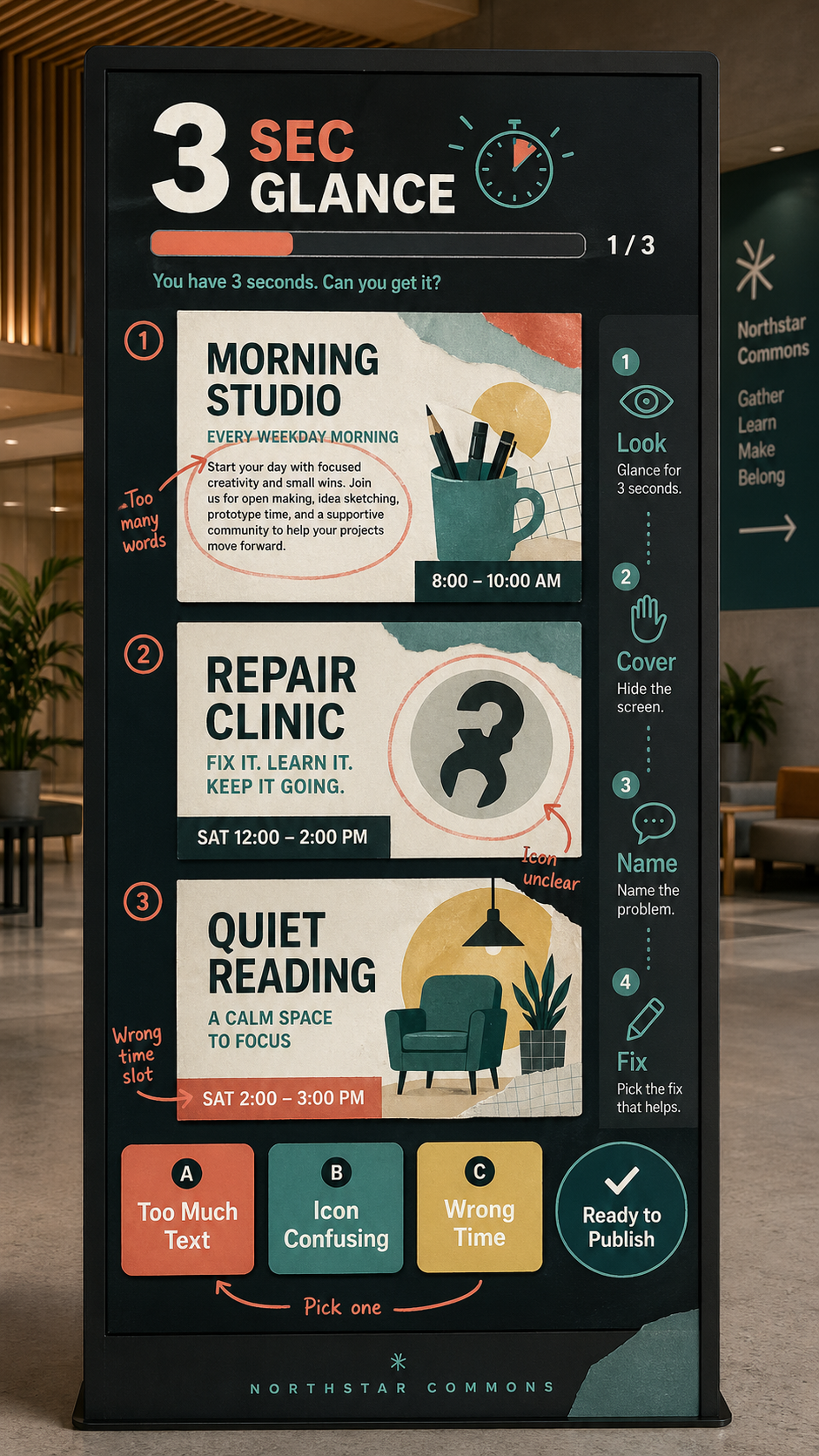
Create one polished public-gallery concept image titled exactly "Derived Play: Three-Second Sign Test". Use case: productivity-vi...
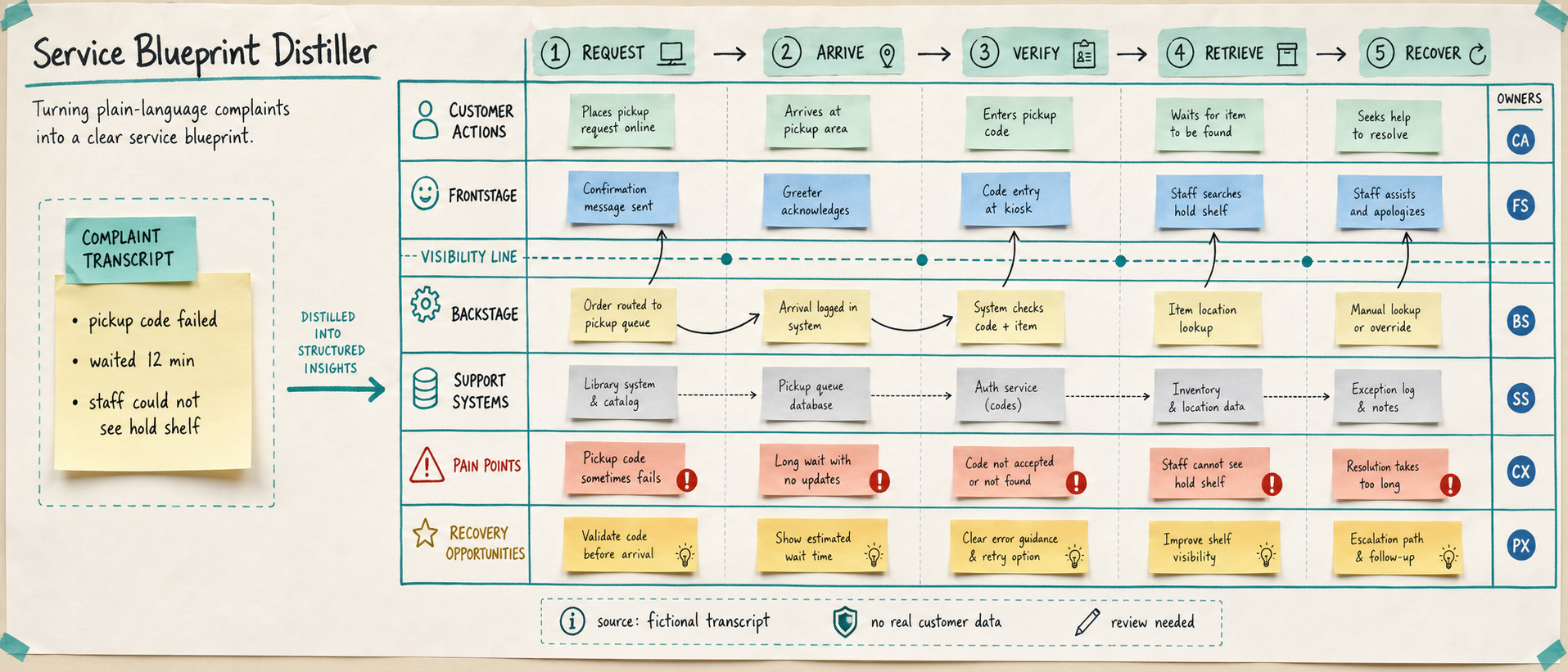
Use case: productivity-visual / service-design workflow Asset type: public gallery image for GPT Image 2 use-case research, ultra...
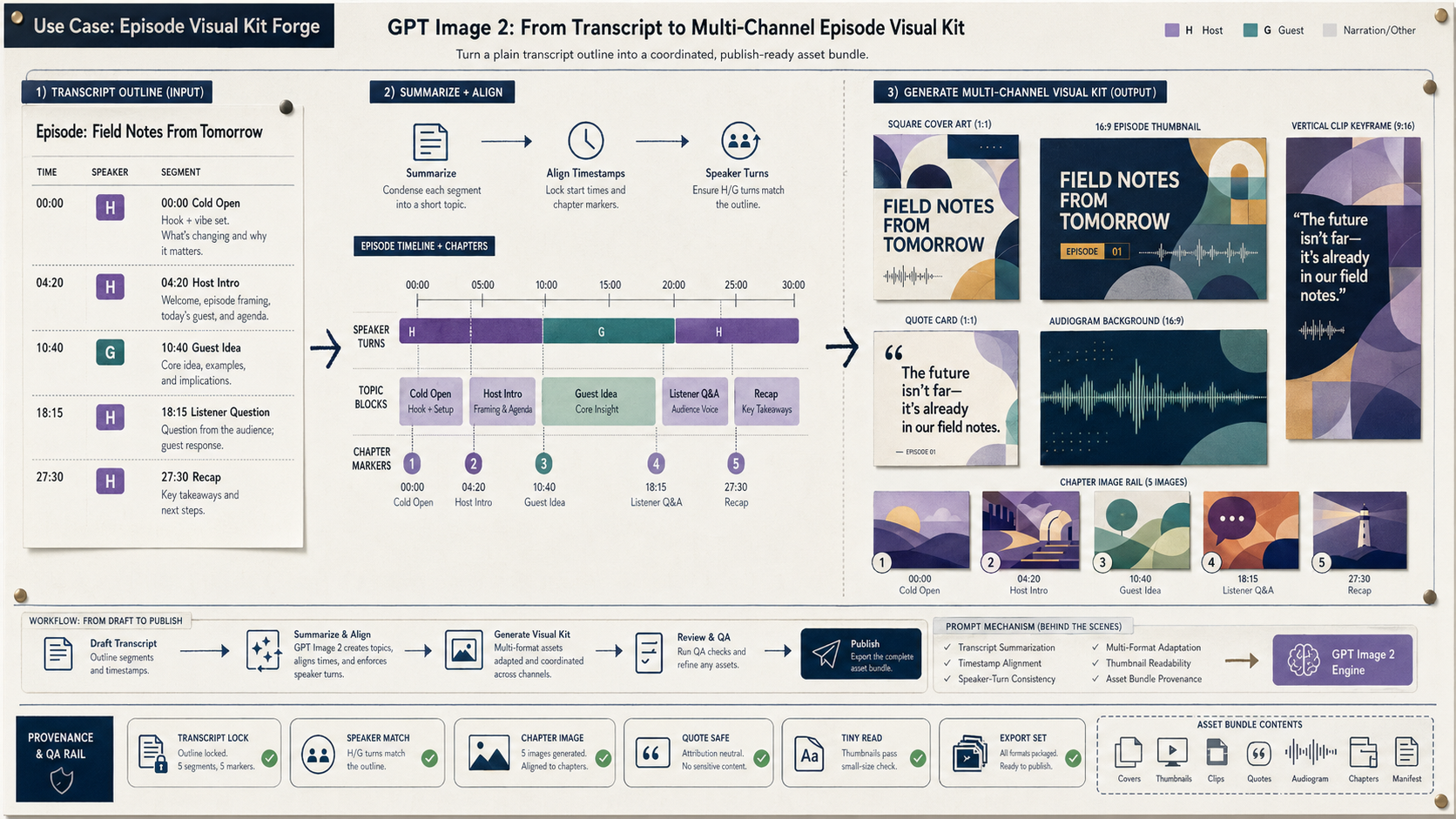
Create a wide 16:9 fictional podcast production artifact titled in small clear text "Use Case: Episode Visual Kit Forge". Show ho...
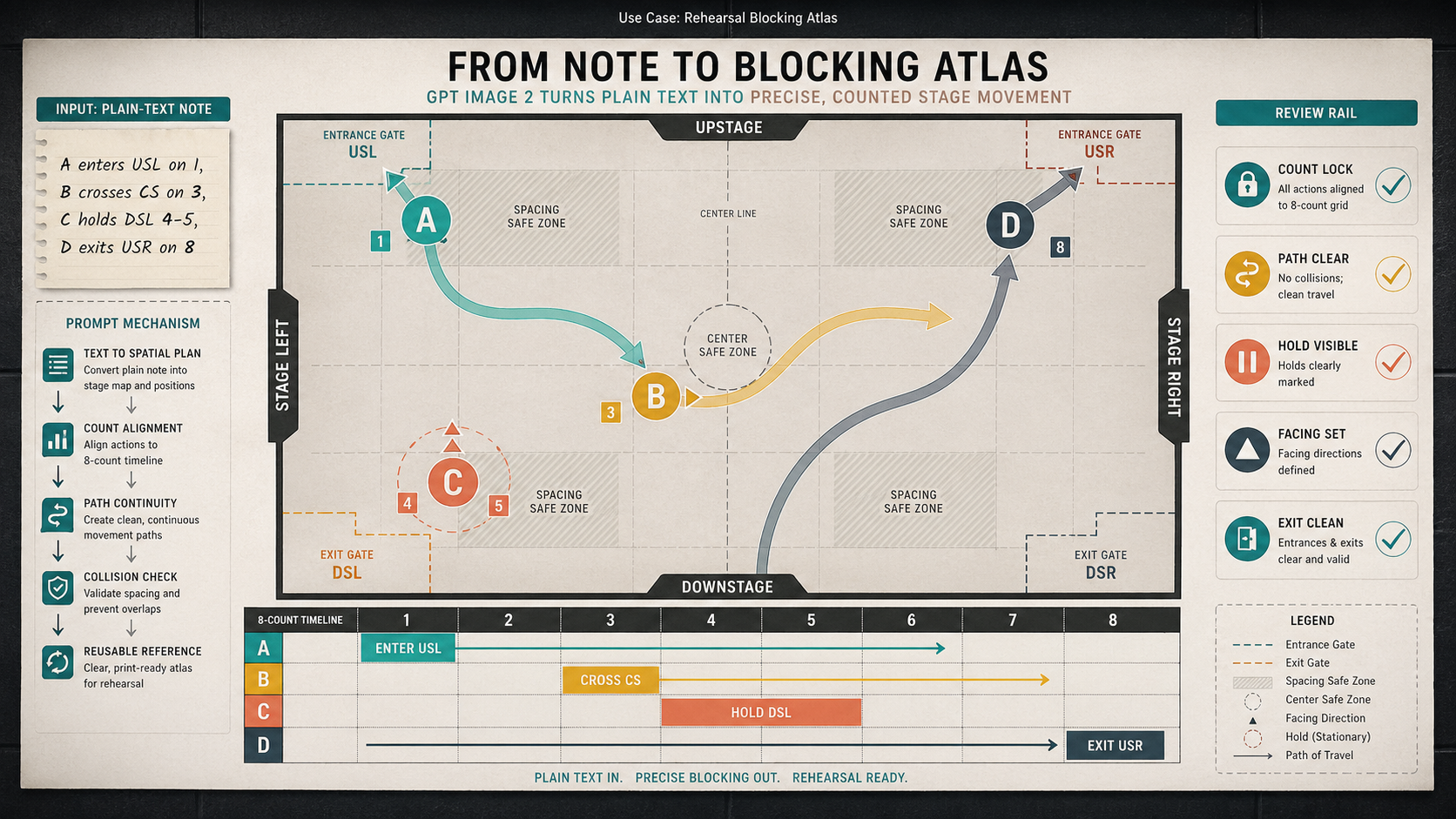
Create a wide 16:9 fictional rehearsal planning artifact titled visually only in small text as "Use Case: Rehearsal Blocking Atla...
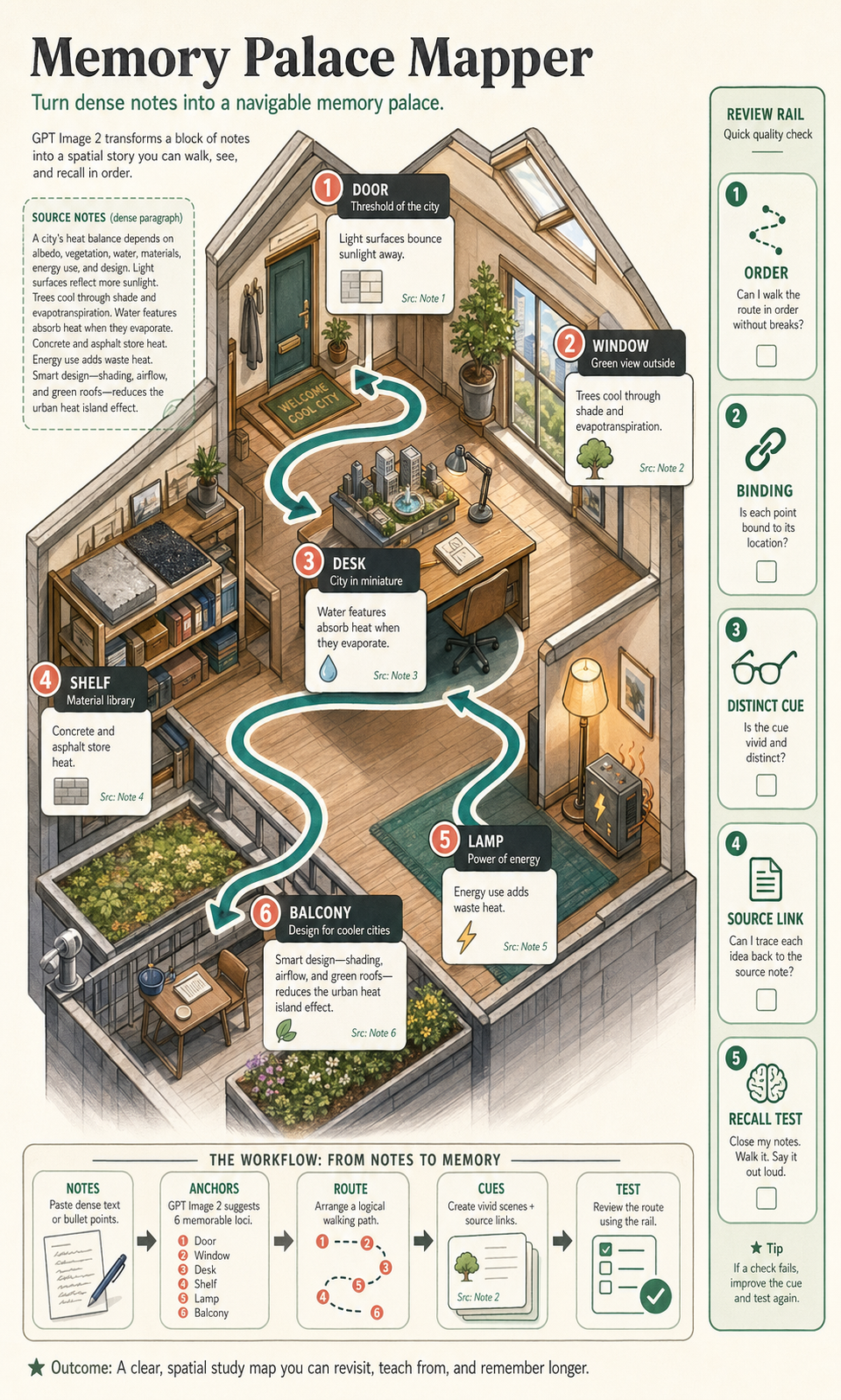
Create a polished, public-gallery image for GPT Image 2 use-case research. Use case: scientific-educational / productivity-visual...
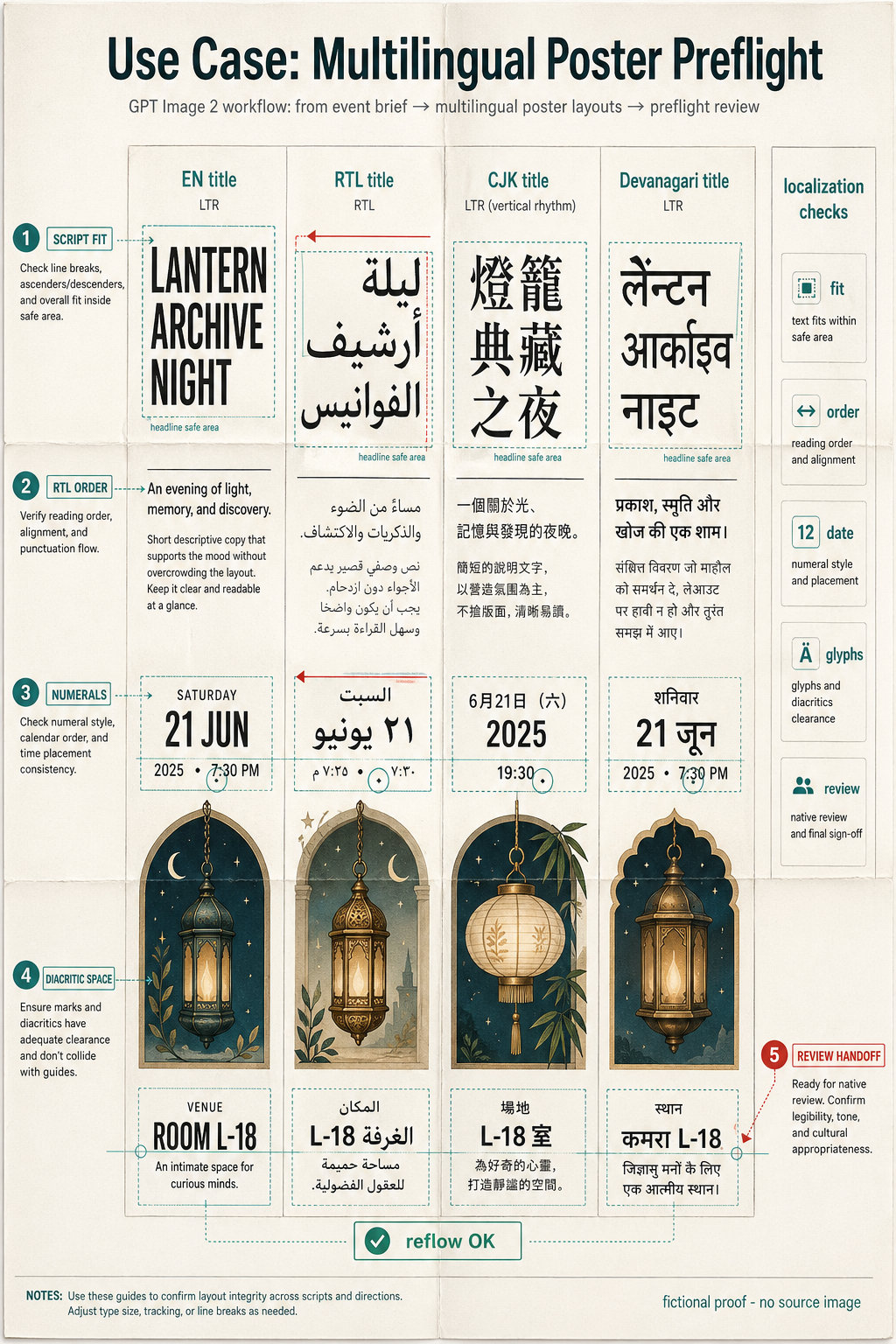
Create one polished public-gallery concept image titled exactly "Use Case: Multilingual Poster Preflight". Use case: localization...