GPT Image 2 book-summary infographic poster
生成一张【中等信息密度】书籍总结信息图海报,主题为《思考,快与慢》。 Step 0(关键前置判断) 在开始生成之前,请先判断这本书更接近哪一类(可多选): 认知成长类(思维 / 自我提升) 商业 / 财富类(赚钱 / 职业 / 投资) 心理 / 情绪类(关系...
把 GPT Image 2 用作首轮 onboarding 原型审查:Pocket Orchard 的四屏流程把 value first、one question、empty state CTA、pre-prompt、skip path 和 mobile-native 检查点连成可验收的 UX 工作流。
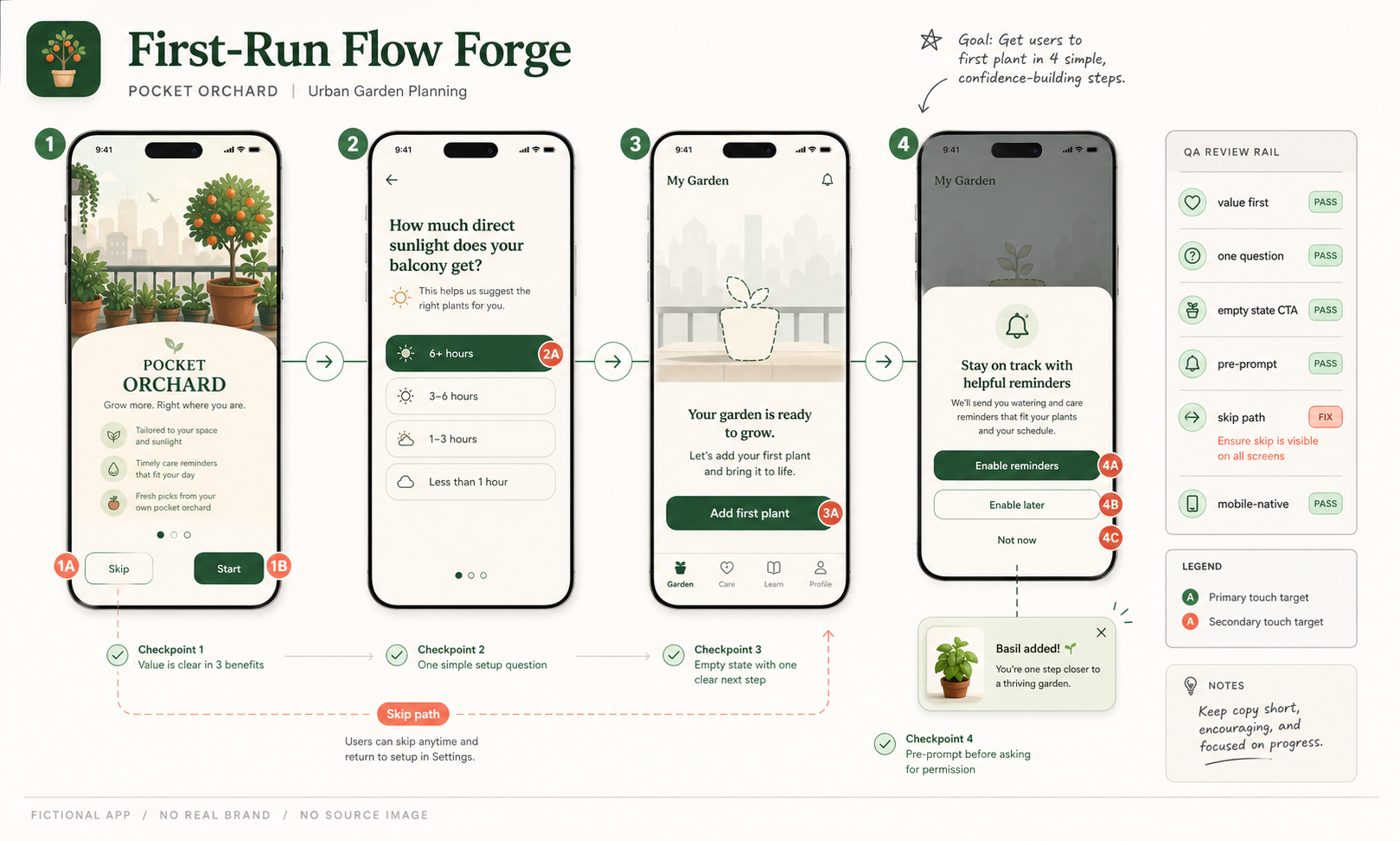
Use this as a reference for Empty State Cta, First Run Flow Forge, Onboarding, Permission Pre Prompt workflows, prompt structure, visual constraints, and output review.
Use case: ui-mockup
Asset type: GPT Image 2 use-case gallery image, wide 16:9 UX prototype review artifact
Primary request: Create a polished fictional mobile onboarding prototype review image titled "First-Run Flow Forge". Show four tall phone-screen mockups connected left to right by a thin activation ribbon for a fictional urban-garden planning app named "Pocket Orchard". The screens should be original and not resemble any real app: 1) welcome screen with clear "Skip" and "Start" choices, 2) one-question setup about balcony sunlight with simple segmented choices, 3) empty garden state with one strong CTA "Add first plant", 4) contextual reminder pre-prompt with "Not now" and "Enable later" options, followed by a small success plant card.
Composition: professional product-design review board, but not a 2x2 or 2x3 grid; one continuous horizontal flow with phone frames, light connector arrows, small numbered touch targets, and a right-side QA rail.
QA rail text: "value first", "one question", "empty state CTA", "pre-prompt", "skip path", "mobile-native". Include small pass/fix chips, activation checkpoints, and a compact footer stamp "fictional app / no real brand / no source image".
Visual style: crisp modern UX design artifact, readable short UI copy, soft off-white canvas, graphite annotations, muted garden greens, coral warnings, clean type, subtle shadows, high polish.
Avoid: no real brands, no real platform logos, no app-store badges, no real people or faces, no public figures, no politics, no medical/legal/financial advice, no copyrighted characters, no copied UI, no dense tiny text, no lorem ipsum, no dashboard, no menu, no map, no physical apparatus, no 2x3 research board.
Source note: Original fictional Pocket Orchard onboarding prototype generated locally after external source sweep. Sources informed only abstract onboarding workflow, prompt-to-UI constraints, progressive disclosure, journey-map storytelling, and mobile UI structure evaluation; no external prompt text, image, UI screen, app, brand, product UI, dataset sample, artwork, protected style, or source image was reused.
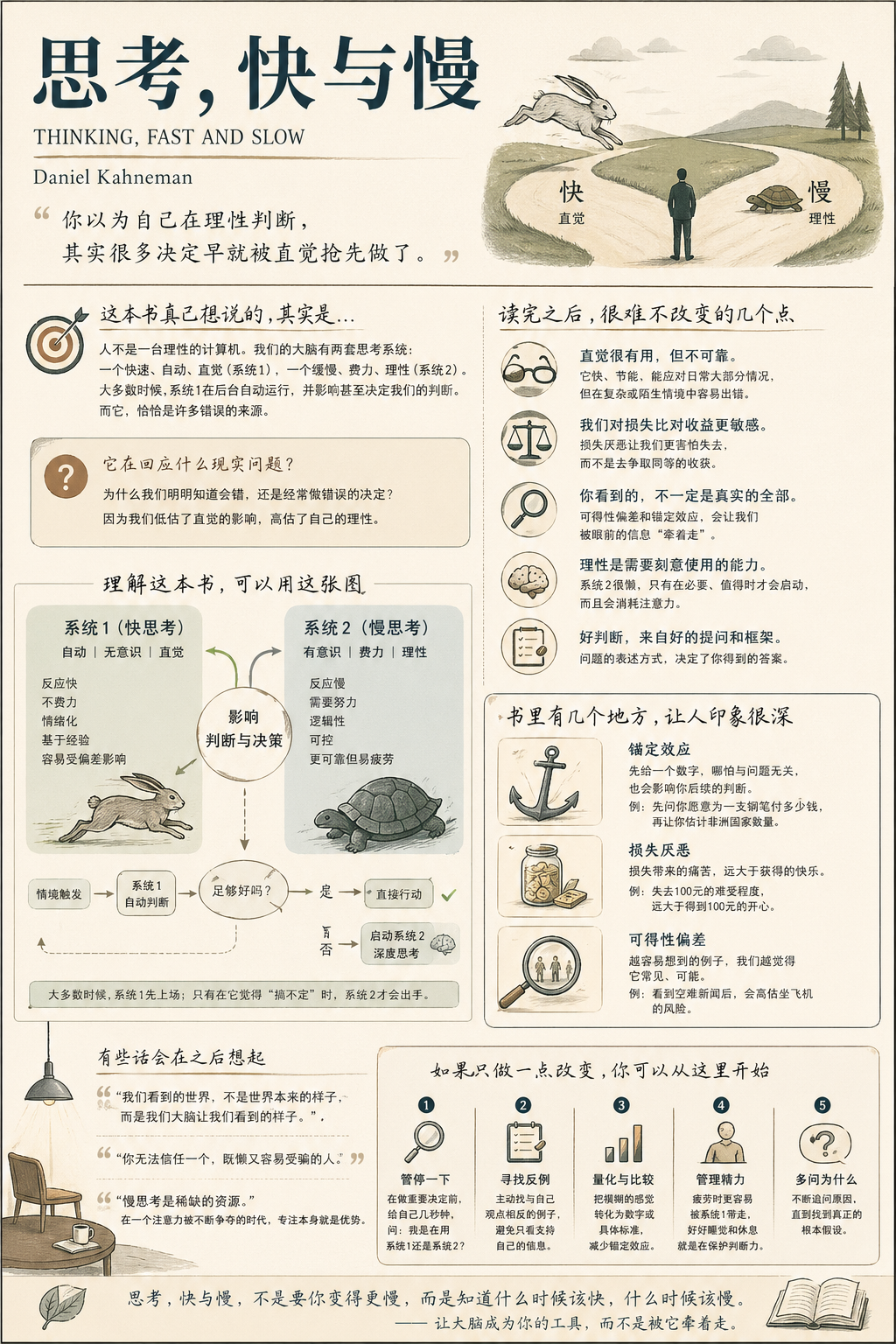
生成一张【中等信息密度】书籍总结信息图海报,主题为《思考,快与慢》。 Step 0(关键前置判断) 在开始生成之前,请先判断这本书更接近哪一类(可多选): 认知成长类(思维 / 自我提升) 商业 / 财富类(赚钱 / 职业 / 投资) 心理 / 情绪类(关系...
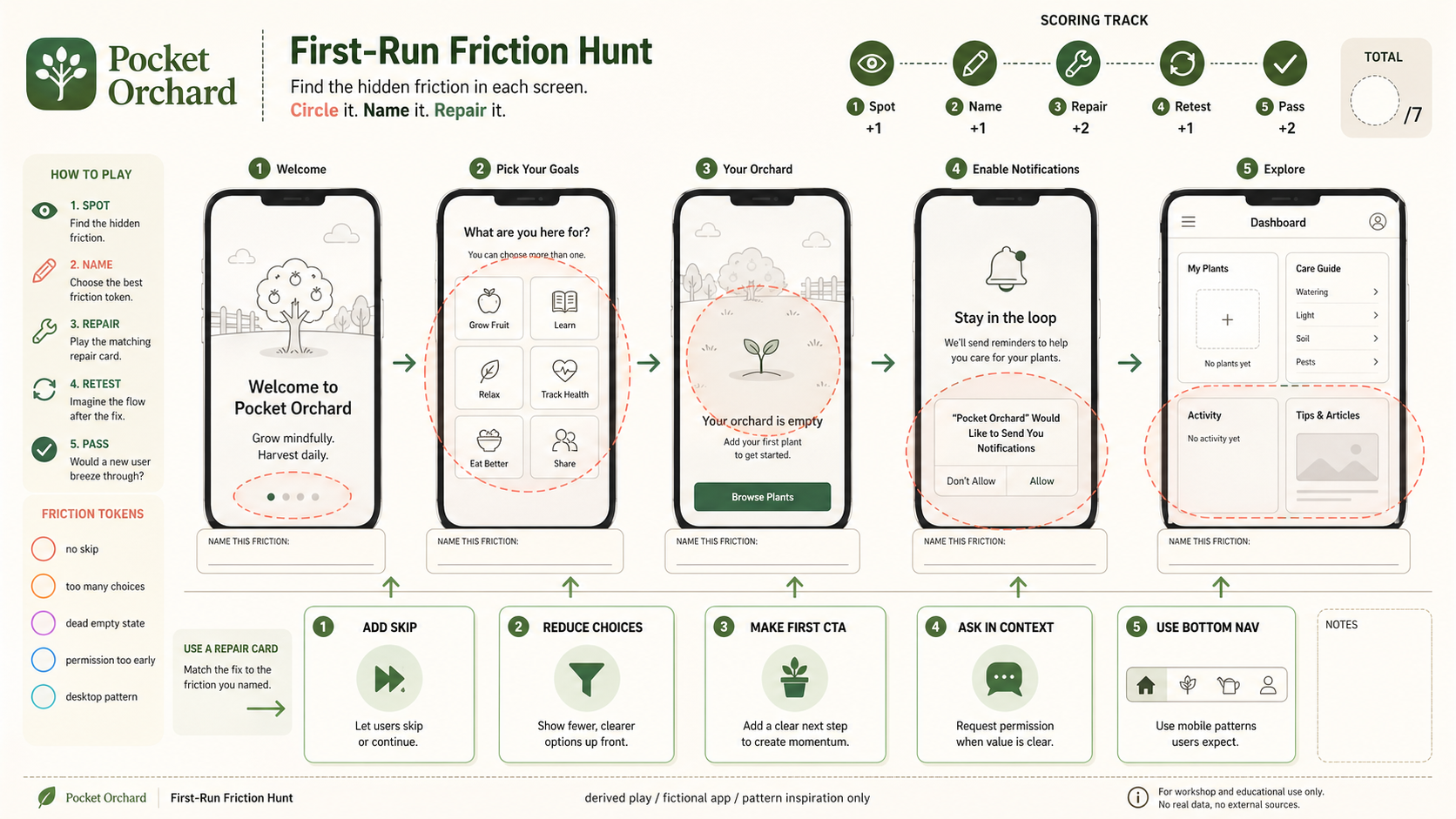
Use case: ui-mockup / derived play mechanic: first-run-friction-hunt Asset type: GPT Image 2 derived-play gallery image, wide 16:...
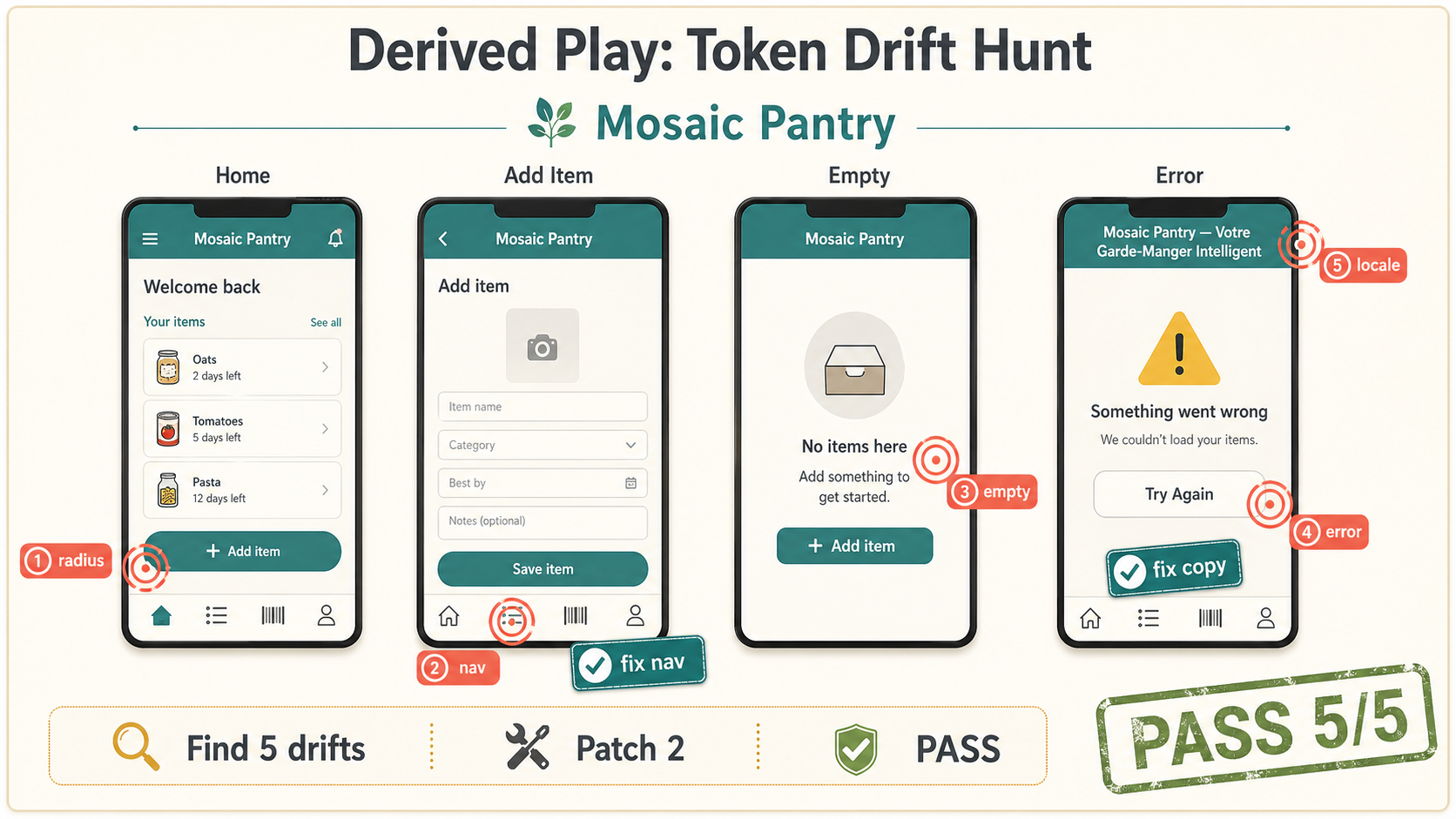
Create one polished public-gallery concept image titled exactly "Derived Play: Token Drift Hunt". Use case: ui-mockup / derived p...
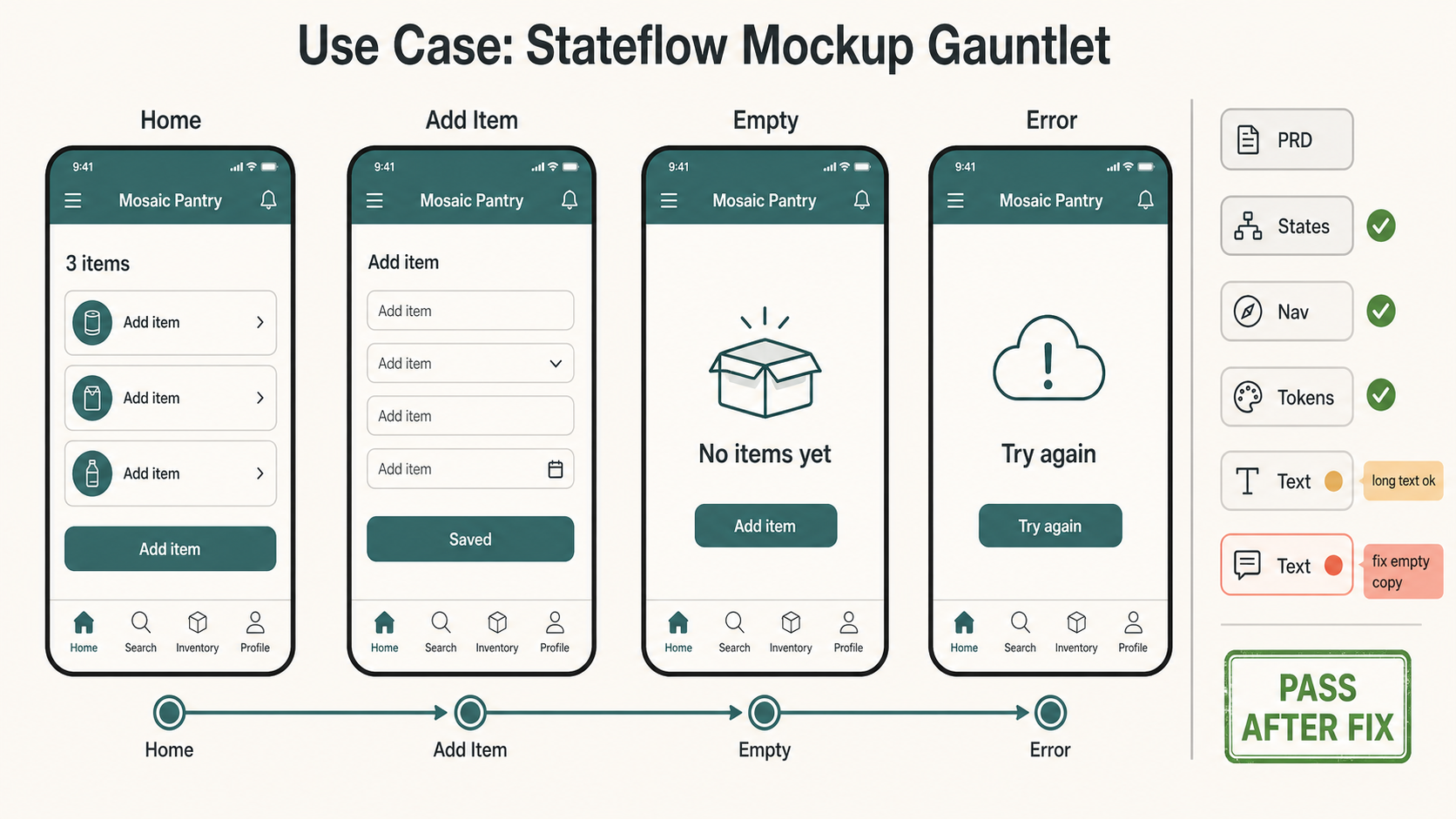
Create one polished public-gallery concept image titled exactly "Use Case: Stateflow Mockup Gauntlet". Use case: ui-mockup / prod...
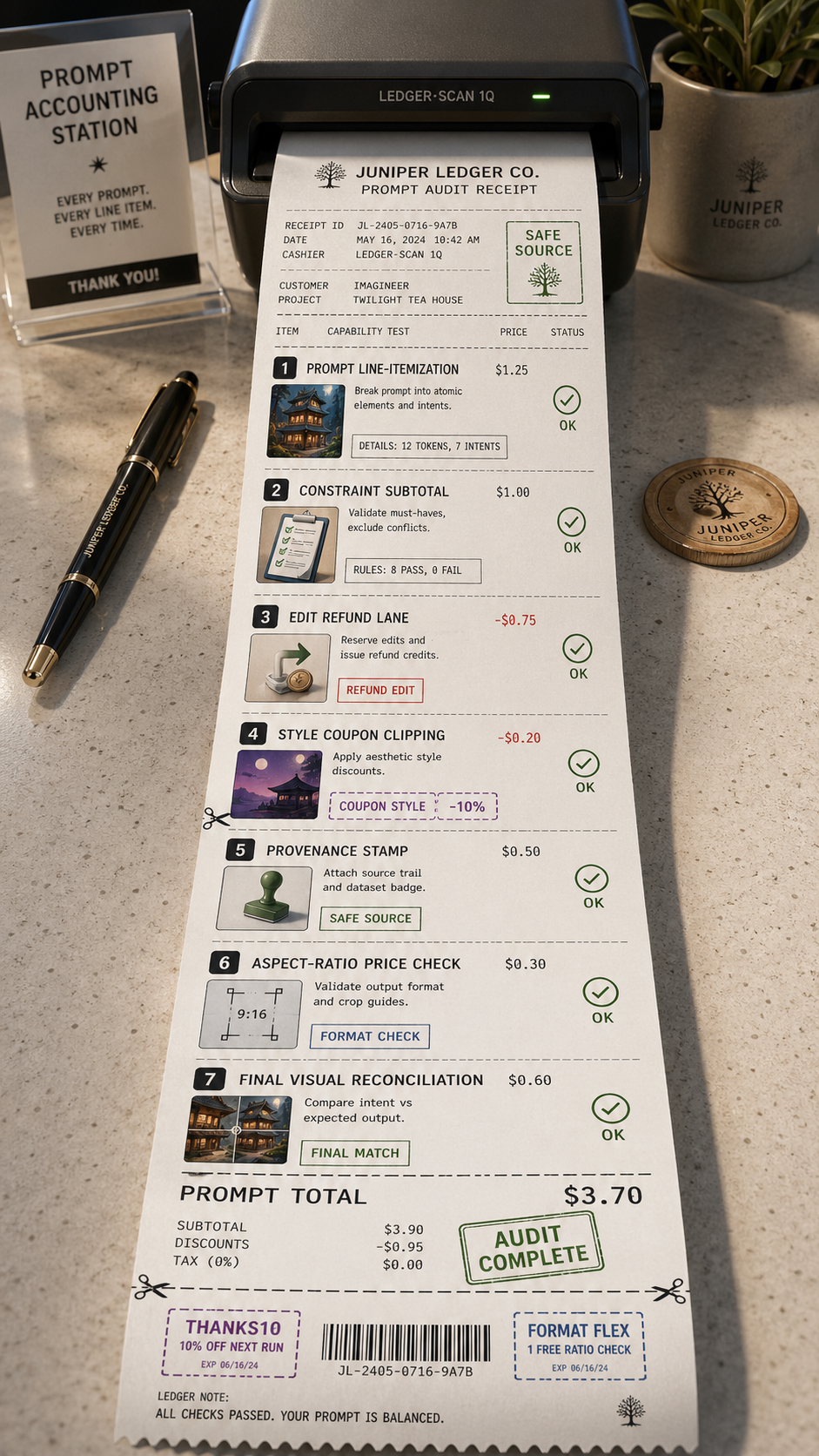
Use Case Receipt: Prompt Accounting Asset type: tall 9:16 thermal receipt and audit-ledger poster, not a grid, not a six-panel re...
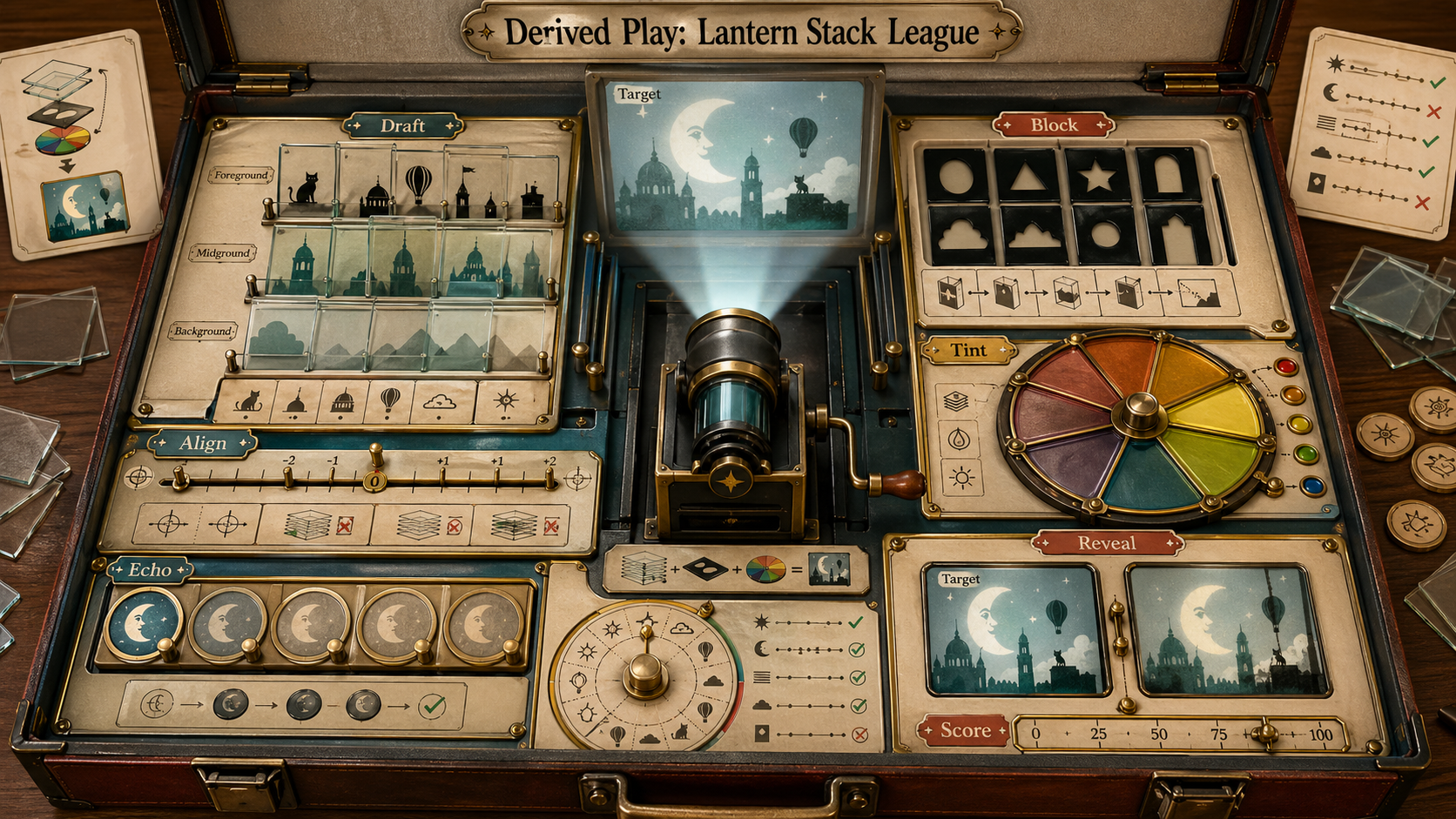
Use case: illustration-story / derived play mechanic: translucent-slide-rule-game Asset type: original derived gameplay concept i...