Derived Play: Backstage Leak Hunt
Derived play: productivity-visual / service-design QA game Asset type: public gallery image for GPT Image 2 derived-play research...
从菜单重排工作流派生出的可打印找茬玩法:玩家在虚构菜单里找 duplicate price、allergy icon mismatch、overcrowded section、low contrast item 和 missing divider,再写修复说明。
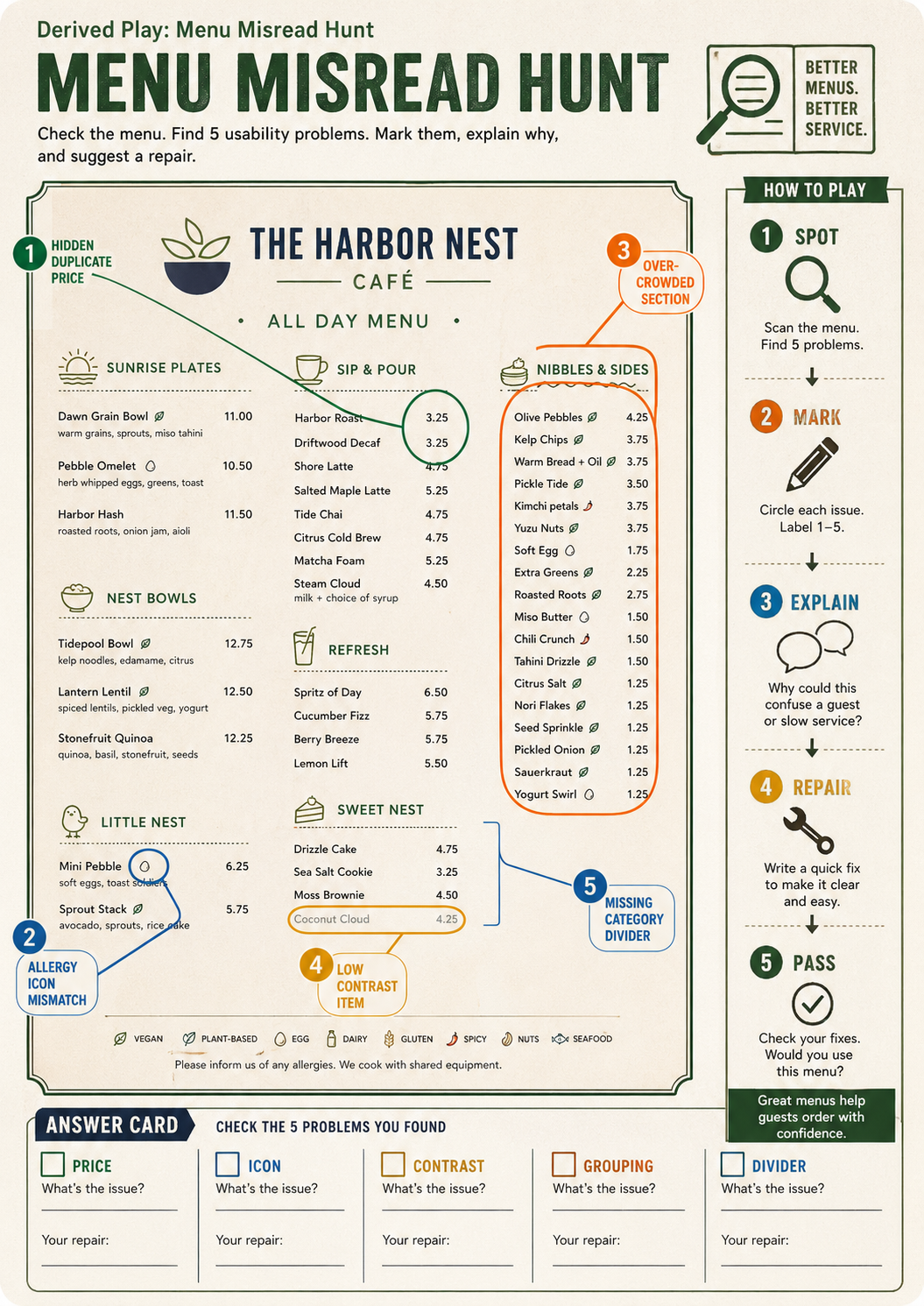
Use this as a reference for Accessibility QA, Allergen Icon Check, Contrast Check, Derived Play workflows, prompt structure, visual constraints, and output review.
Create a second finished derived-play image based on the same fictional menu workflow, portrait A4 ratio, titled in small crisp English text: "Derived Play: Menu Misread Hunt". Show a printable classroom-safe game sheet for checking whether an AI-generated menu is actually usable. It should look like a clean restaurant-service training game, not a tabletop object photo and not a dashboard. Main surface: one fictional cafe menu page with five deliberate visual puzzles highlighted by colored callout rings: a hidden duplicate price, one allergy icon mismatch, one overcrowded section, one low-contrast item, and one missing category divider. Right side: a narrow score rail with simple steps: "Spot", "Mark", "Explain", "Repair", "Pass". Bottom: a compact answer card with blank checkboxes and readable labels: "price", "icon", "contrast", "grouping", "divider". Use abstract food icons only, invented dish names only, no real brand, no real logo, no people. Visual style: polished printable design exercise, high-contrast typography, calm colors with green, amber, blue, and charcoal, realistic paper scan edges, crisp legible short text. It should clearly demonstrate a derived play mechanic from GPT Image 2: turn a generated menu into a usability scavenger hunt and repair loop. Avoid political content, adult content, dangerous instructions, celebrity likeness, copyrighted characters, living-artist style imitation, and copied external prompts/images.
Source note: Original fictional menu QA game and prompt generated locally after external source sweep. Sources informed abstract menu accessibility, text-layout evaluation, prompt-library structure, and human review mechanics only; no external prompt text, image, brand, character, artwork, protected style, or source image was reused.
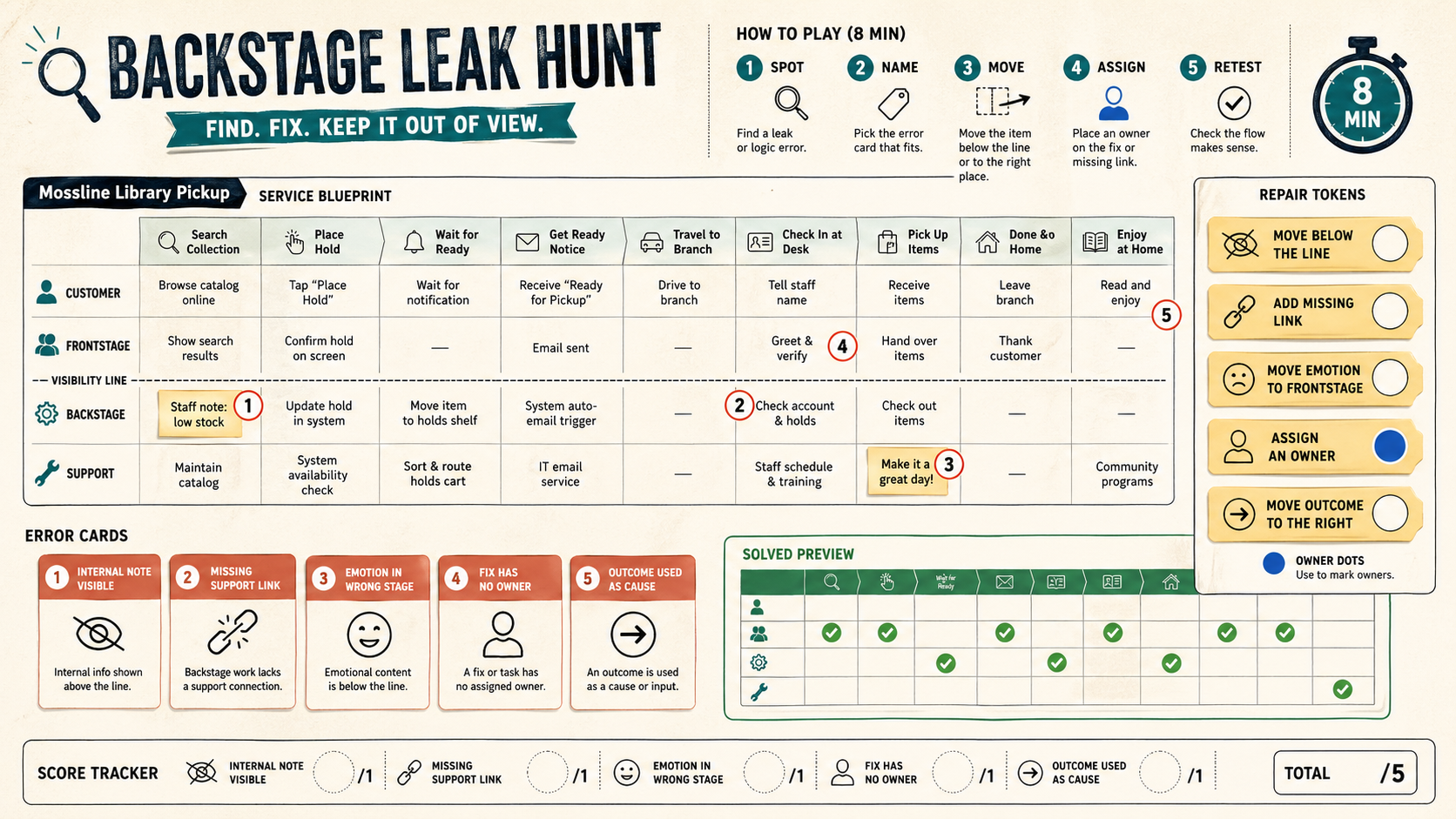
Derived play: productivity-visual / service-design QA game Asset type: public gallery image for GPT Image 2 derived-play research...
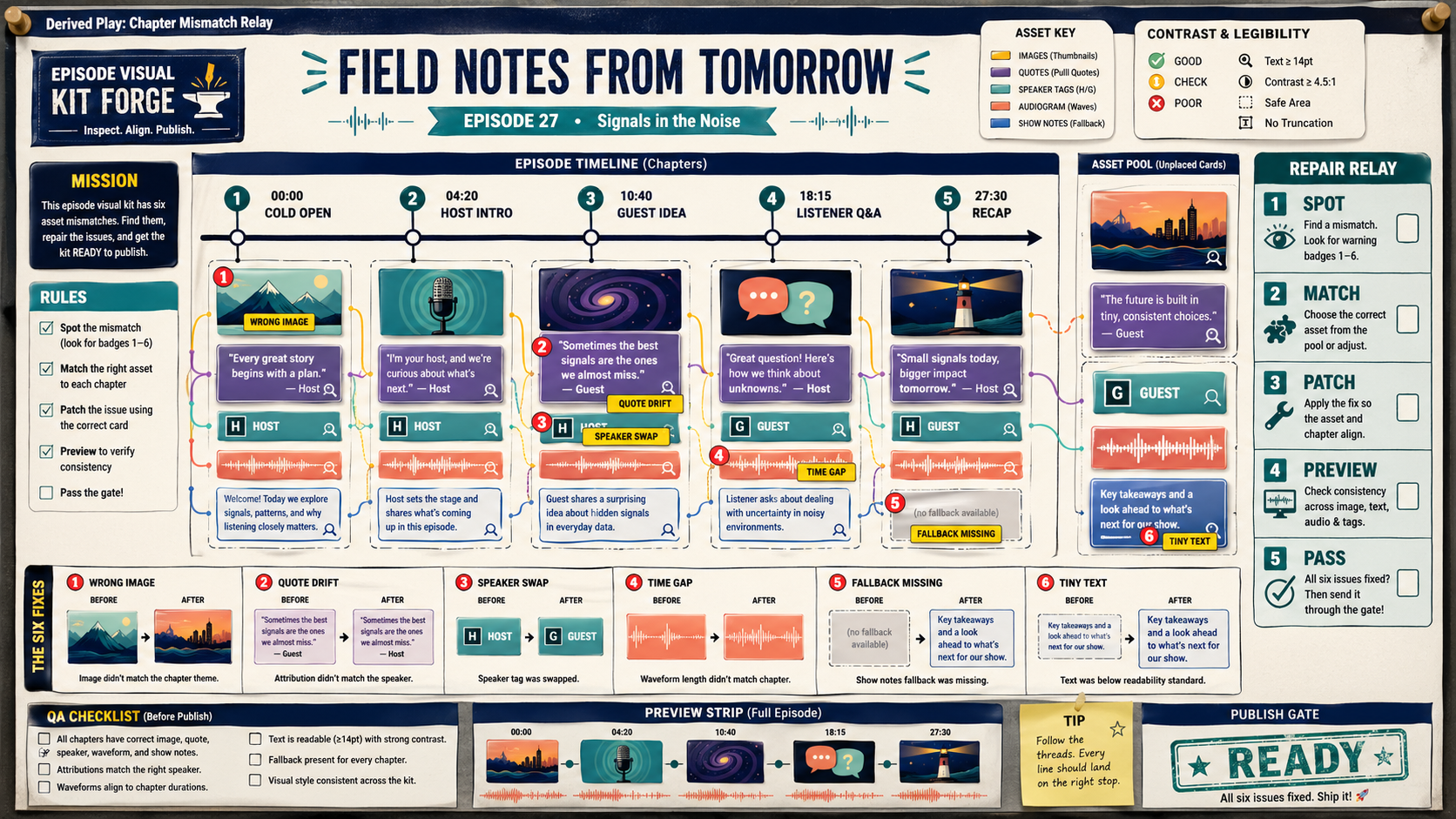
Create a wide 16:9 playable QA puzzle sheet titled in small clear text "Derived Play: Chapter Mismatch Relay". It is derived from...
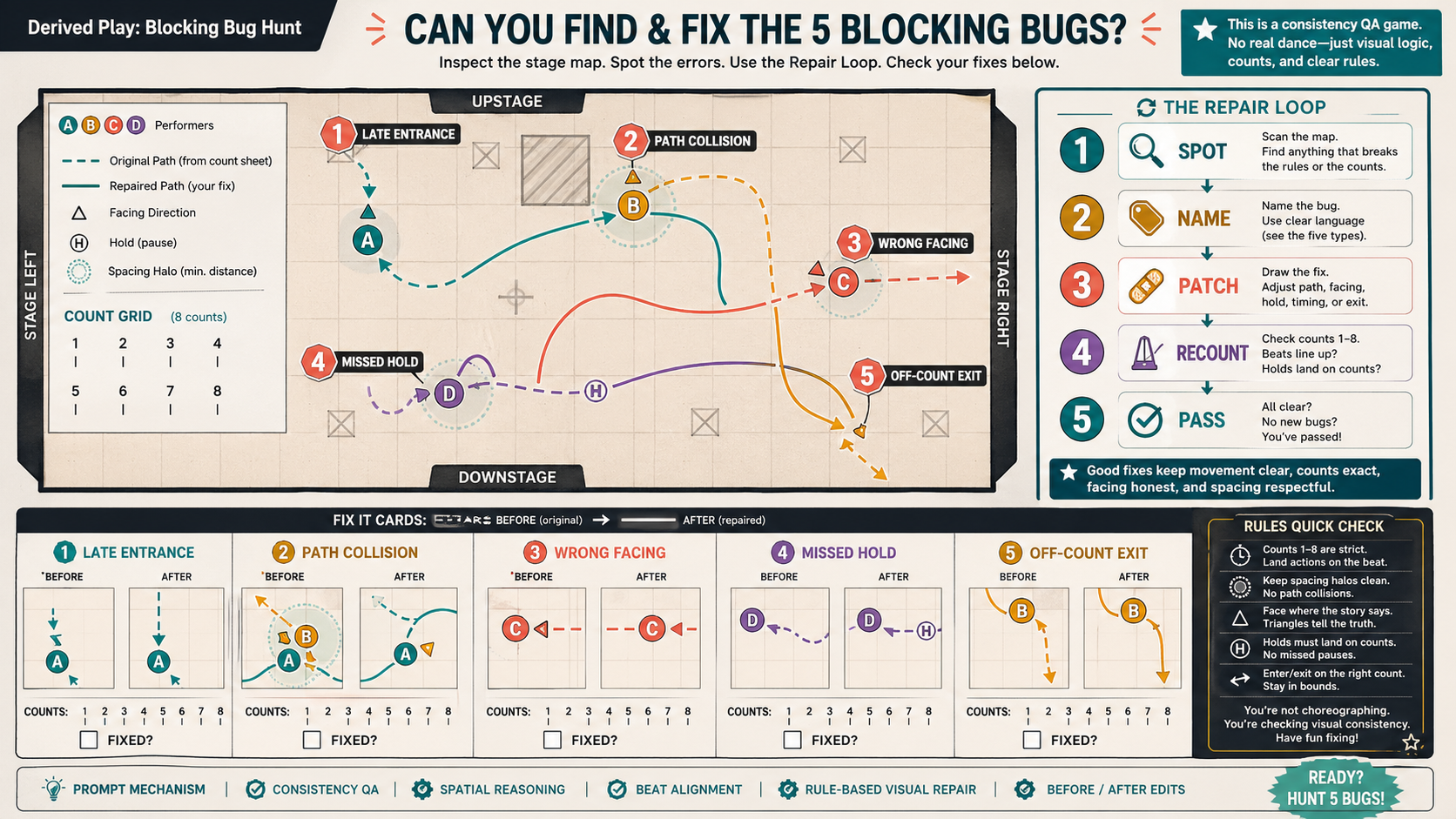
Create a wide 16:9 playable puzzle sheet titled in small text "Derived Play: Blocking Bug Hunt". It is derived from the Rehearsal...
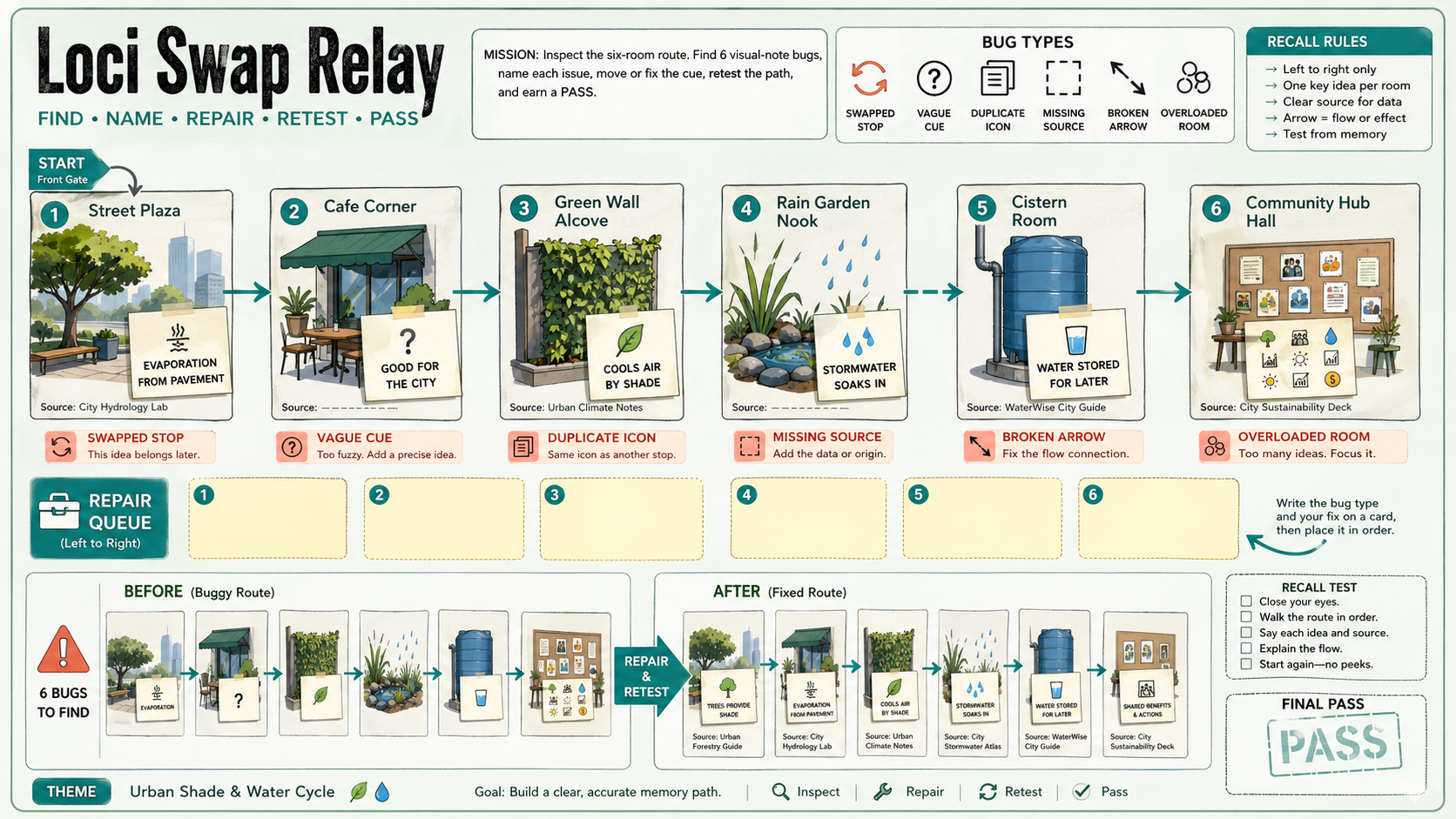
Create a polished, public-gallery image for a derived GPT Image 2 play mechanic. Use case: scientific-educational / derived play...
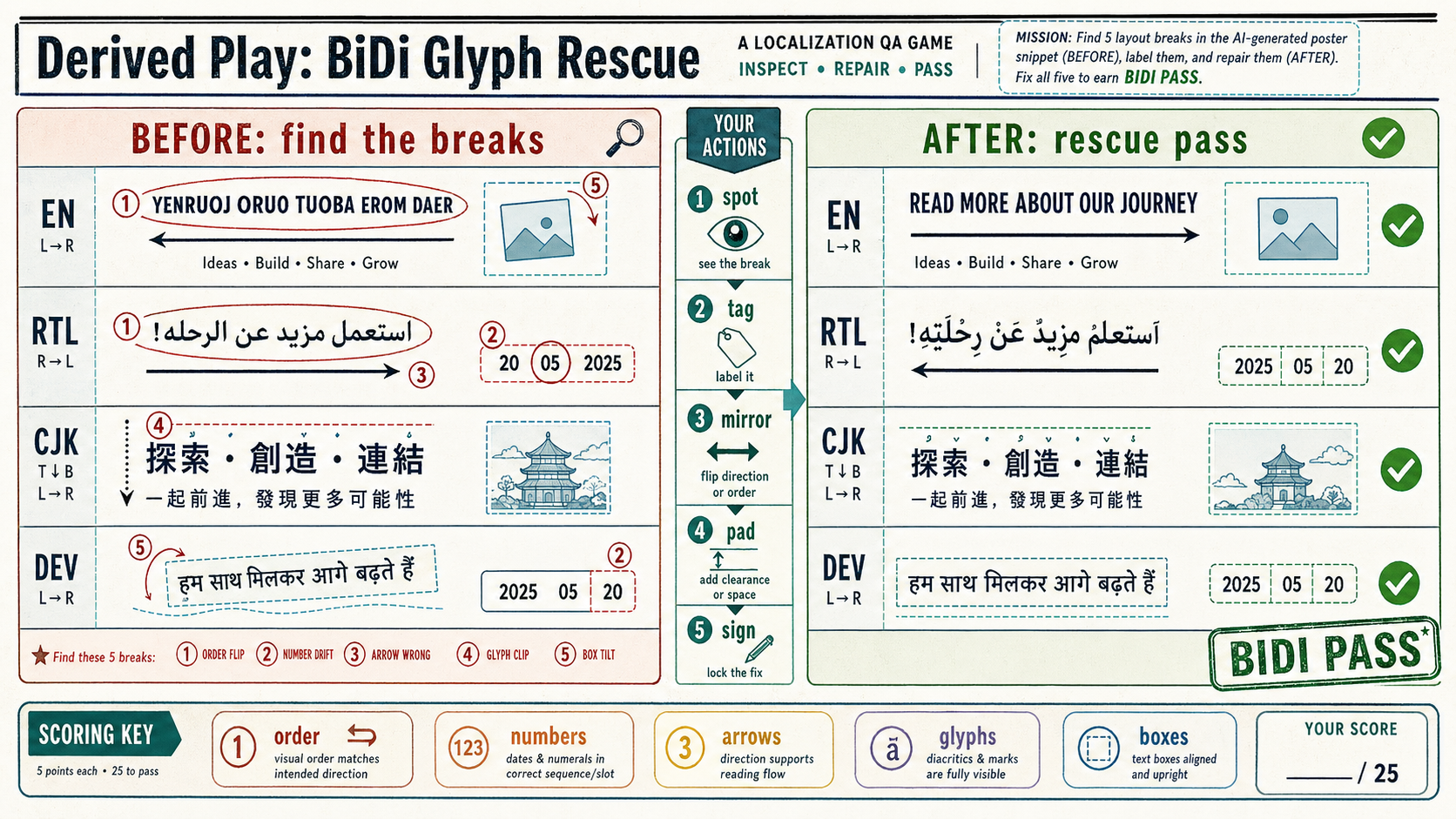
Create one polished public-gallery concept image titled exactly "Derived Play: BiDi Glyph Rescue". Use case: derived play mechani...
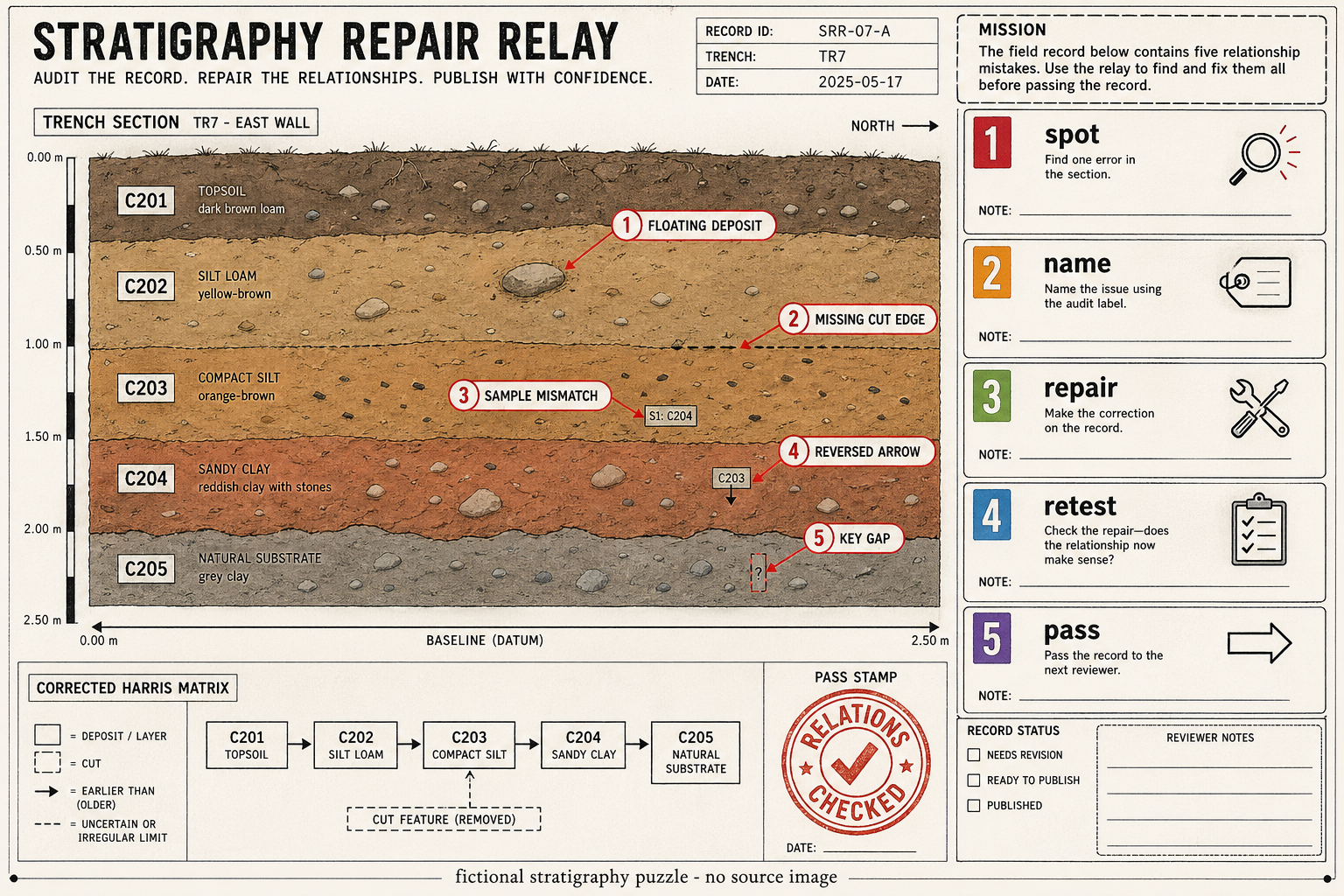
Create a single polished derived-play image for GPT Image 2 titled "Stratigraphy Repair Relay". Primary scene: a landscape-format...